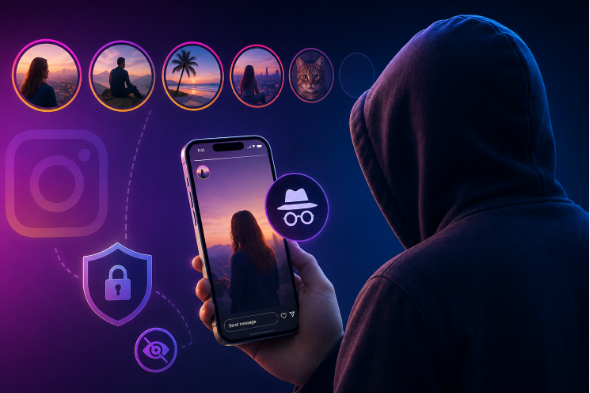
Instagram has evolved into one of the primary social platforms globally, with millions of users sharing daily life updates, stories, reels, and highlights. However, native Instagram features enforce a strict view tracking system: whenever you view someone’s story or reel while logged into your account, your profile handle appears directly in their story views list.
For various privacy, research, or competitive analysis reasons, many users prefer to view public Instagram content without leaving a digital footprint. This demand has fueled the massive rise of web-based anonymous viewers, with InstaPV emerging as one of the most searched tool suites online.
In this comprehensive security breakdown and user guide, we will analyze what InstaPV is, how it works, its advertised features, the technical realities behind private profile viewing, security risks, step-by-step safety measures, and safer alternative solutions for 2026.
1. What is InstaPV? (Understanding the Platform & Domains)
InstaPV is an online third-party web application suite that provides anonymous viewing and downloading capabilities for Instagram content. Unlike official Instagram web or mobile apps, InstaPV allows users to access public profile media directly through a web browser without requiring an Instagram account login.
As seen across search engines, InstaPV operates across several domain mirrors and related proxy tools, including:
- instapv.org: A browser-based viewer for public Instagram stories, reels, highlights, and profile metadata.
- pvstory.com (Insta PV Story): Focused on anonymous story tracking, follower list viewing, and media saving without account authorization.
- instapv.io: A fast, lightweight web viewer marketed as a privacy-focused tool for exploring public profiles without credentials.
The core proposition of these tools is simple: browse public Instagram content privately while ensuring your native account never registers on the target user’s viewer list.
2. How InstaPV Works (Technical Mechanism)
To understand the safety profile of InstaPV, it is essential to understand how it communicates with Instagram servers behind the scenes.
A. Web Scraping & Public API Fetching
When you enter a public Instagram username (e.g., @username) into the search bar on InstaPV, the platform does not hack into Instagram servers. Instead, its server infrastructure makes automated requests to Instagram’s public endpoints using scrapers, proxy IPs, and dummy accounts managed by the service.
B. Proxy-Based Viewer Isolation
Because InstaPV fetches the public media data on its own servers and displays it inside its web interface, your personal device never connects directly to the target Instagram profile. As a result, your IP address and personal Instagram identity remain completely invisible to the profile owner.
C. Media Extraction & Direct Downloads
Once the media stream (such as a story video or high-resolution profile picture) is parsed, InstaPV generates temporary direct CDN download links. This allows users to save images and videos to their local storage.
3. Key Features of InstaPV Tools
InstaPV platforms offer several specialized utilities tailored for social media monitoring and content archiving:
1. 100% Anonymous Story Viewing
Watch active 24-hour stories posted by public profiles without your account name appearing on the uploader’s “Seen” list.
2. Highlights & Media Archiving
Access active profile highlights, permanent posts, IGTV/Reels videos, and full-resolution profile photos (DPs) that are normally un-downloadable inside the official app.
3. No Registration or Password Required
Legitimate instances of InstaPV do not ask for your Instagram username, password, phone number, or email address. You simply input the target profile link to view available public media.
4. Cross-Platform Web Accessibility
Because it operates directly in the web browser, InstaPV works across iOS (Safari), Android (Chrome), Windows, macOS, and Linux without needing to download external app files (APKs/IPAs).
5. Public Follower & Following Viewer
Some variants allow users to view public follower lists and comments on posts in a clean web dashboard without triggering app-based tracking.
4. The Big Myth: Can InstaPV View Private Instagram Profiles?
One of the most common search queries regarding tools like InstaPV is: “Can InstaPV unlock and view private Instagram accounts?”
The Clear Answer: NO.
Despite aggressive marketing claims from scam websites or third-party ads, no web tool can bypass Instagram’s server-side encryption to view private account content without an accepted follow request. Instagram protects private account data behind strict authentication checks.
If a website claiming to be InstaPV asks you to complete the following actions to “Unlock a Private Profile”, it is an absolute scam:
- Complete human verification surveys.
- Download mobile apps or games to unlock private photos.
- Enter your personal Instagram login credentials.
- Pay a subscription fee or enter credit card information.
Security Warning: Genuine anonymous viewers only parse content from PUBLIC Instagram profiles. Any website claiming to bypass private profile security is attempting phishing or ad-fraud.
5. Security Analysis: Is InstaPV Safe to Use?
Evaluating the safety of InstaPV requires looking at two distinct aspects: Account Safety vs. Device & Data Safety.
| Safety Dimension | Risk Rating | Detailed Explanation |
|---|---|---|
| Instagram Account Safety | SAFE (Low Risk) | Since you do not log in with your Instagram credentials, your actual IG account cannot be banned or compromised. |
| Browser & Malware Exposure | MODERATE to HIGH | Ad-supported sites frequently use aggressive pop-under scripts, malicious ad networks, and drive-by download prompts. |
| Data Privacy & Tracking | MODERATE | Third-party ad scripts may track your IP address, browser fingerprint, and search history across sessions. |
| Phishing & Fake Prompts | HIGH RISK | Scam ad banners often display fake virus alerts (“Your iPhone is infected!”) to trick users into downloading unwanted apps. |
Primary Security Risks Associated with Web Viewers:
- Aggressive Malicious Redirects: Clicking on the search bar or download buttons frequently triggers pop-under tabs leading to gambling sites, adult content, or phishing pages.
- Browser Notification Hijacking: Sites often prompt users with “Click Allow to prove you are not a robot”. Allowing permissions grants ad networks the ability to push scam pop-up notifications directly to your device desktop or lock screen.
- Disguised Downloads (PUPs): Instead of downloading a clean
.mp4or.jpgfile, malicious ad mirrors might attempt to download.exe,.apk, or.dmginstaller files containing adware.
6. How to Use InstaPV Safely (Step-by-Step Security Protocol)
If you choose to use InstaPV or similar anonymous viewers for research or privacy reasons, you must take proactive steps to protect your device. Follow this strict safety protocol:
Step 1: Never Provide Account Credentials
If any site asking to be InstaPV prompts you to enter your Instagram username, password, or security code, CLOSE THE TAB IMMEDIATELY. Legitimate public viewers operate completely without login access.
Step 2: Use an Ad-Blocker and Privacy-Focused Browser
Always access third-party viewer sites using a privacy browser like Brave or a browser equipped with uBlock Origin. This blocks malicious script redirects, pop-up windows, and tracking cookies from loading.
Step 3: Block All Push Notification Requests
When the website asks permission to send browser notifications, always click Block or close the dialogue box. Never grant notification rights to third-party media conversion sites.
Step 4: Verify Saved File Formats
Before opening any media file downloaded from InstaPV, inspect the file extension:
- Safe Files:
.mp4,.jpg,.png,.webp - Dangerous Files (DELETE IMMEDIATELY):
.exe,.apk,.iso,.bat,.dmg,.zip
Step 5: Avoid Completing “Verification Surveys”
If a screen tells you that a video download is locked until you complete an online survey or download an application, exit the platform. This is a monetization survey scam that yields zero media files.
7. Legal & Ethical Implications of Using Anonymous Viewers
While viewing public web content is generally accessible, users should understand the legal and ethical boundaries surrounding tools like InstaPV:
- Terms of Service Violations: Automated scraping tools violate Meta/Instagram’s official Terms of Service regarding automated data harvesting. While Meta targets the service operators rather than individual viewers, the tools remain outside official support channels.
- Copyright & Content Fair Use: Downloading and viewing public stories for personal reference is typically treated as fair use. However, re-uploading, monetizing, or distributing someone else’s copyrighted photos/videos without permission constitutes copyright infringement.
- Privacy & Ethics: Respect personal boundaries. Using tools to track individuals continuously can cross into digital harassment or stalking behavior.
8. Best Alternatives to InstaPV in 2026
If InstaPV is experiencing downtime, slow loading speeds, or excessive ads, several well-known alternatives provide similar public Instagram viewing functionality:
1. Inflact (Formerly Ingramer)
A comprehensive marketing platform that provides web tools for public story viewing, profile analysis, and media downloading alongside commercial social media management services.
2. Dumpor
A widely used web tool for searching public Instagram profiles, tags, locations, and stories anonymously with a clean search interface.
3. StoriesIG
A minimalist, fast-loading browser tool designed exclusively for quick viewing and downloading of public Instagram stories and highlights without user registration.
4. InstaNavigation
A popular public viewer offering high uptime and clean layout options for browsing public profiles, stats, and media highlights anonymously.
9. Frequently Asked Questions (FAQs)
What is InstaPV used for?
InstaPV is used to view public Instagram stories, posts, reels, highlights, and profile photos anonymously without logging into an Instagram account or appearing on viewer lists.
Is InstaPV completely free?
Yes, genuine InstaPV web tools are free to use. They support server costs through display advertisements rather than charging direct user subscription fees.
Does the profile owner know if I view their story via InstaPV?
No. When using InstaPV on a public profile, your personal Instagram identity is never transmitted to Instagram. The view is recorded under the anonymous scraper infrastructure managed by the tool.
Why is InstaPV not loading or working?
Instagram regularly updates its API restrictions and security measures to block automated scrapers. When this happens, sites like InstaPV may experience temporary downtime while developers update their proxy servers.
Can InstaPV see stories from an account that blocked me?
Yes, provided the target account is public. Because InstaPV uses independent proxy servers and does not log in with your account, personal account blocks on Instagram do not affect the web viewer’s search results.
10. Final Verdict
InstaPV (and its domain networks like instapv.org, pvstory.com, and instapv.io) offers a convenient, zero-cost method for browsing public Instagram stories and media content without leaving a digital footprint.
Because these tools require no login credentials, your personal Instagram account remains completely safe from bans or password compromises. However, the external browsing experience can expose users to aggressive pop-under ads, suspicious redirects, and fake download prompts. By deploying a robust ad-blocker, declining notification prompts, and verifying file extensions before opening downloads, users can navigate InstaPV safely and efficiently in 2026.
Have you tried InstaPV or other anonymous Instagram viewers? What has been your experience with privacy and site safety? Share your thoughts and feedback in the comments section below!